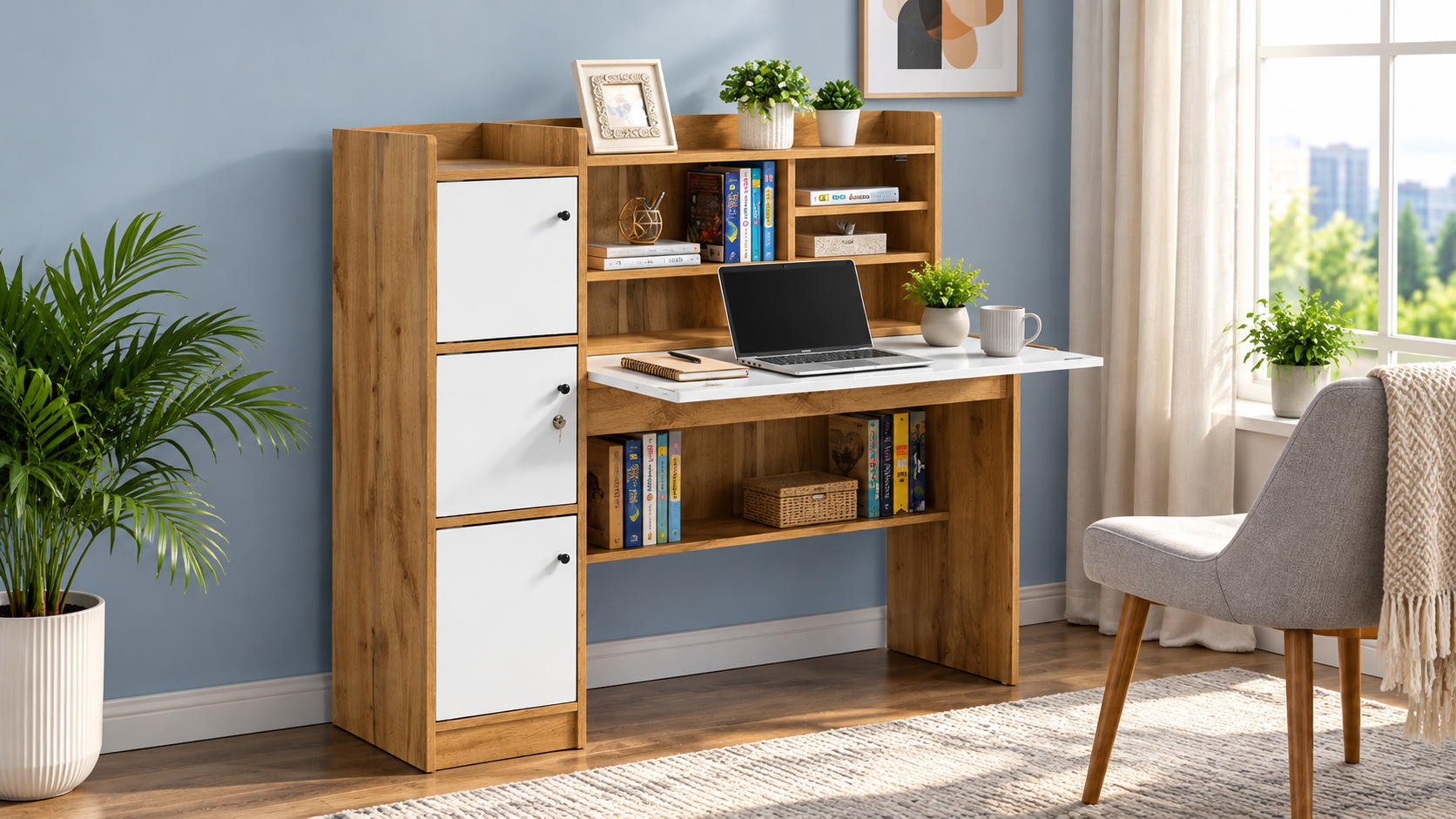
Choosing the right Office Study Table can make a significant difference to your daily work routine. Whether you work from home, attend online classes, manage business tasks, or use a computer for several hours a day, your desk should provide enough space, support an organised setup, and keep essential items within easy reach. A poorly designed table can leave you struggling with limited workspace, tangled cables, and insufficient storage.
However, selecting a suitable table involves more than choosing an attractive design. You need to consider its size, material, storage capacity, stability, legroom, and compatibility with your computer or laptop. These features determine how well the table fits your room and whether it meets your daily working requirements.
If you are planning to buy an office study table online, understanding these essential features can help you compare different designs, evaluate their prices, and choose a practical option for your workspace.
1. The Right Size and a Spacious Work Surface
The first feature to consider when buying an office study table is its size. The table should provide sufficient room for your everyday tasks without occupying too much space in your home or office.
A compact desk may work well for a laptop and a notebook, while a larger workstation may be necessary for a desktop computer, monitor, keyboard, documents, and other accessories.
How to Choose the Right Table Size
Consider the equipment you use regularly before selecting a desk. For example:
Laptop users: A compact office study table may be sufficient if you mainly use a laptop, mouse, notebook, and phone.
Desktop users: Look for a wider surface that can accommodate a monitor, keyboard, mouse, and other accessories comfortably.
Professionals handling paperwork: Choose a design with enough space to spread out documents without moving your computer.
Students and multitaskers: A medium-sized table can provide room for books, stationery, a laptop, and study materials.
The available floor space also matters. Measure the intended location before purchasing and account for the chair, drawers, and walking space around the desk.
Why Surface Depth Matters
A table should not only be wide enough but also deep enough for comfortable use. A shallow desk may leave little room for a keyboard or monitor stand. If you use a desktop computer, check whether the surface can accommodate the screen while leaving sufficient space for your keyboard and mouse.
Buying tip: Check the product dimensions carefully rather than relying on photographs. A table can look spacious in a product image but feel restrictive in a small room.
2. Durable Material and Reliable Construction
The material of an office study table affects its appearance, durability, maintenance requirements, and price. Choosing the right construction is especially important if you plan to use the desk every day.
Common options include engineered wood, solid wood, metal frames, and combinations of wood-based panels with metal supports.
Engineered Wood
Engineered wood is commonly used in modern home furniture. Depending on the type and construction, it can offer a practical balance between appearance, cost, and everyday functionality.
Its benefits may include:
A clean, contemporary finish.
Multiple colour and design options.
Compatibility with compact furniture designs.
A relatively accessible price compared with many solid-wood alternatives.
However, moisture resistance varies by material and finish. Avoid prolonged exposure to water, and check the product's care instructions before purchasing.
Solid Wood
Solid wood tables can provide a natural appearance and may offer long-term durability when properly constructed and maintained. They are worth considering if you prefer traditional furniture or a substantial desktop.
Their price can vary significantly according to the wood species, construction, finish, and design.
Metal Frame Designs
A desk with a metal frame can offer useful structural support, particularly when the frame is properly designed and assembled. Some models combine a metal base with a wood-based tabletop to create a contemporary workstation.
What Should You Check?
Regardless of the material, examine the following details:
The thickness and finish of the tabletop.
The quality of joints, fasteners, and frame connections.
Whether the desk remains stable during normal use.
The stated load capacity, if available.
The care and maintenance instructions.
A lower purchase price is not necessarily the best value if the table has weak joints, an unsuitable surface, or poor stability. Compare construction quality alongside the price when selecting a durable office study table.
3. Practical Storage for a Clutter-Free Workspace
Storage is one of the most useful features of an office study table, especially if you use your workspace for several activities.
Without dedicated storage, notebooks, files, chargers, pens, and other accessories can quickly occupy the entire tabletop. A well-planned storage arrangement keeps frequently used items accessible while leaving the main work surface available.
Drawers for Everyday Essentials
A table with drawers can help you organise smaller items, including:
Pens, pencils, and stationery.
Charging cables and adapters.
Notebooks and personal documents.
Small office accessories.
Frequently used paperwork.
Before choosing a model, check the number, dimensions, and placement of the drawers. A drawer that looks useful in a photograph may not accommodate larger documents or accessories.
Shelves for Books and Equipment
An office study table with shelves can provide additional room for books, folders, speakers, and lightweight accessories. Vertical storage is particularly helpful when floor space is limited.
However, overhead shelves should not interfere with monitor placement or leave your workspace feeling cramped.
Should You Choose a Table With or Without Storage?
Choose a desk with storage if you regularly handle paperwork, stationery, or multiple accessories. A simple table without drawers may be a better fit if you prefer a minimalist setup, have a separate storage cabinet, or need maximum legroom.
Buying tip: Consider what you actually need to store. Extra drawers are useful only when they serve a purpose and do not make the desk inconvenient to use.
4. A Stable Frame and Adequate Weight Capacity
Stability is an essential feature that is easy to overlook when comparing office study table designs. A desk should remain steady when you type, write, use a mouse, or place everyday equipment on its surface.
A table that shakes during typing can become distracting, particularly during long work sessions or online meetings.
Features That Improve Stability
Look for these construction details:
Strong legs or a well-designed supporting frame.
Securely fitted joints and fasteners.
A level base that sits evenly on the floor.
Appropriate support beneath a wide tabletop.
A clearly stated load capacity where available.
The table's weight capacity should be suitable for your intended setup. A laptop, monitor, keyboard, books, and accessories create a different load from a desktop computer with multiple monitors and heavier equipment.
Do not assume that every table can safely support the same amount of weight. Check the manufacturer's specifications and distribute equipment evenly across the surface.
Why Assembly Quality Matters
Even a well-designed table can feel unstable if it is assembled incorrectly. Follow the manufacturer's instructions, tighten the supplied fasteners as directed, and place the desk on a reasonably level floor.
If you are buying furniture online, review the assembly requirements and check whether the package includes the necessary hardware and instructions.
5. Comfortable Legroom and an Ergonomic Setup
A good office study table should allow you to sit comfortably and position your equipment appropriately. The desk itself cannot guarantee good posture, but its dimensions can make a comfortable working arrangement easier to achieve.
This feature is particularly important for people who work or study at a desk for extended periods.
Check the Height of the Table
Many conventional desks are approximately 71–76 cm high, although the appropriate height depends on your body proportions, chair, and working position.
When seated, aim to keep your shoulders relaxed, elbows reasonably close to your body, and forearms approximately level with the keyboard. Your feet should rest comfortably on the floor or on a suitable footrest.
If the desk is too high, you may end up raising your shoulders while typing. If it is too low, you may lean forward or hunch over your work.
Leave Enough Space for Your Chair
Measure the height and width of the space beneath the tabletop. Check whether the chair's armrests can slide under the desk and whether drawers or support bars interfere with your knees.
A table with a thick storage unit beneath the work surface may reduce legroom, even when its tabletop is spacious.
Consider Your Monitor Position
If you use a desktop computer, the screen should be positioned so that you can view it without repeatedly bending your neck. Depending on the monitor and your height, a monitor stand or adjustable arm may help.
For laptop users, a separate keyboard and laptop stand can make it easier to position the screen and hands comfortably.
Buying tip: If several people will use the same desk, pay particular attention to its height and the adjustability of the chair. A fixed-height table may not suit everyone equally well.
6. Cable Management and Easy Device Placement
Modern workstations often include laptops, monitors, phones, chargers, speakers, and other electronic accessories. Without a plan for cables, the desk can become cluttered and difficult to clean.
A well-designed office study table should make it reasonably easy to organise your equipment and keep wires out of the main working area.
Useful Cable Management Features
Depending on your setup, look for:
Cable-routing holes in the tabletop.
Space behind the desk for wires and power adapters.
A suitable location for a power strip.
Open space for monitor and charging cables.
A design that allows easy access to wall sockets.
Not every office desk includes built-in cable management. If the table does not have dedicated openings, adhesive cable clips or an appropriate cable organiser may provide a simple alternative.
Think About Your Device Setup Before Buying
A laptop-only workstation may need very little cable management. A desktop setup with a monitor, speakers, printer, and multiple chargers will benefit from more planning.
Also consider where your internet router, power sockets, and other devices are located. A table that fits the room but leaves cables stretched across a walkway may not be a practical choice.
Good cable organisation can also make routine cleaning easier and reduce the chance of accidentally pulling a device off the desk.
7. A Design That Matches Your Room and Working Style
An office study table should be functional, but its design also matters. Since the desk may occupy a prominent position in a bedroom, living room, dedicated home office, or shared workspace, its appearance should complement the surrounding furniture.
Fortunately, office study tables are available in various finishes, shapes, and configurations.
Minimalist Designs for Small Rooms
A compact desk with a simple frame can work well in smaller rooms. Lighter finishes and open-leg designs may help the space feel less crowded, although the actual dimensions remain the most important consideration.
Choose a table that provides the required workspace without blocking doors, windows, or storage units.
Wooden Finishes for a Warm Appearance
Wood-look finishes can complement bookshelves, cabinets, and other home furniture. They are suitable for people who prefer a coordinated workspace without choosing an elaborate design.
Before purchasing, compare the finish with your existing furniture where possible. Product photographs may look different depending on screen settings and lighting.
Modern Designs for Professional Workspaces
A clean-lined desk with a neutral finish may suit a contemporary home office. If you use several accessories, a model with integrated storage can help maintain a more organised appearance.
When exploring furniture options from brands such as Akaiindia, compare the available product specifications and finishes rather than choosing a desk based on appearance alone. Confirm that the particular model meets your size, storage, construction, and comfort requirements.
The best design is one that fits your room, supports your working habits, and remains practical after the initial purchase.
Other Factors to Consider Before Buying an Office Study Table Online
The seven features above provide a strong starting point, but a few additional checks can help you make a more informed purchase.
Set a Realistic Budget
Office study table prices vary according to size, material, storage, construction, finish, and additional features. A compact table with a basic design will generally have different pricing from a larger workstation with multiple drawers or specialised construction.
Instead of choosing the cheapest option automatically, decide which features are essential and which are optional.
For example, a person using only a laptop may not need a large desktop surface or several drawers. Someone handling paperwork and multiple devices may benefit from spending more on a wider table with additional storage.
Compare the complete product cost, including delivery charges where applicable, and review the return policy before placing an order.
Verify the Product Dimensions
Check the width, depth, height, and available legroom. Measure the intended space and leave enough room for your chair and comfortable movement.
Also consider the dimensions of your equipment. A desk should accommodate your monitor, keyboard, mouse, and accessories without forcing you to work at the edge of the surface.
Review Assembly and Maintenance Requirements
Check whether the table requires self-assembly, whether instructions are included, and whether installation assistance is available.
Review the recommended cleaning method, especially if the tabletop has a specialised coating or wood-based construction. Proper care can help maintain its appearance.
Check the Warranty and Return Policy
Before purchasing, read the warranty terms and understand what they cover. Check the process for reporting damaged parts, missing hardware, or manufacturing defects.
For online orders, review the return or replacement conditions, including any requirements related to packaging and assembly.
These checks are particularly important when buying furniture without seeing it in person.
Common Mistakes to Avoid When Choosing an Office Study Table
Even a table with an attractive design may not be suitable if it does not meet your daily needs. Avoid these common buying mistakes:
Choosing by appearance alone: A stylish table is not useful if it lacks adequate workspace or legroom.
Ignoring the room measurements: Always measure the available space before ordering.
Overlooking storage dimensions: Check whether drawers and shelves can accommodate the items you intend to store.
Assuming every material is equally durable: Compare construction details, finishes, and maintenance requirements.
Forgetting about cable management: Plan for chargers, monitors, and power connections before finalising your choice.
Ignoring assembly requirements: Confirm what tools, hardware, and installation support are included.
Buying unnecessary features: Pay for useful functionality rather than extras that will remain unused.
Avoiding these mistakes helps you select an office study table that offers practical value instead of simply looking appealing in a product photograph.
Frequently Asked Questions About Office Study Tables
1. What is the best office study table for working from home?
The best option depends on your room size, equipment, storage needs, and working habits. A laptop user may prefer a compact desk, while someone using a desktop computer or handling documents may need a wider surface. Prioritise suitable dimensions, stability, and comfortable legroom.
2. What size should an office study table be?
The appropriate size depends on your available space and the equipment you use. Measure the width, depth, and height of the intended location before purchasing. Make sure the table can accommodate your devices and leave enough space for your chair and comfortable movement.
3. Which material is best for an office study table?
Engineered wood, solid wood, and metal-framed designs can all be suitable. The right choice depends on your budget, preferred appearance, maintenance expectations, and required durability. Compare the construction quality and care instructions rather than selecting a material based on its name alone.
4. Is an office study table with drawers worth buying?
Yes, if you regularly use stationery, documents, notebooks, or small accessories. Drawers can keep these items organised and free up the tabletop. If you prefer a minimalist setup or already have separate storage, a simpler desk may be more practical.
5. What height is suitable for an office study table?
Many conventional desks are approximately 71–76 cm high, but the ideal height depends on your body proportions and chair. Your shoulders should remain relaxed while typing, and your feet should rest comfortably on the floor or a footrest. Check the desk dimensions before buying.
6. How much should I spend on an office study table?
Your budget should reflect your intended use, the table's size, construction, material, and storage features. Compare similarly sized models and consider the overall value, including delivery, assembly, warranty, and return conditions. Avoid paying extra for features you do not need.
7. Can a compact office study table accommodate a desktop computer?
Yes, provided the tabletop is wide and deep enough for the monitor, keyboard, mouse, and other necessary accessories. Check the dimensions of your equipment and the desk's usable surface before purchasing. A compact design may not suit setups with multiple monitors or extensive paperwork.
8. What should I check before buying an office study table online?
Check the product dimensions, material, load capacity, storage configuration, assembly instructions, delivery charges, warranty, and return policy. Review product photographs and specifications carefully, and confirm that the table suits your room and equipment.
Conclusion
The right office study table should do more than provide a flat surface for your laptop or books. It should offer suitable dimensions, durable construction, useful storage, reliable stability, comfortable legroom, practical cable management, and a design that fits your space.
Before making a purchase, identify your daily requirements and measure the area where you intend to place the desk. Compare materials, storage options, dimensions, and total costs to determine which features are worth paying for.
If you are planning to upgrade your home office or create a dedicated study area, explore the available office study table options from Akaiindia and evaluate each product against your needs. Check the specifications carefully and choose a table that supports your working routine, fits your budget, and makes the best use of your available space.